


Men's Hair Cuts & Hairstyles
3.969.00 Reviews
App Specs
- Version
- 6.2.1
- Updated On
- License
- Free
- Downloads
- 100,000+
- Developer
- İlhan LLC
- Categories
- Beauty
- Platform
- Android, iOS
Screenshots
 Analysis by AppCompare
When I’m choosing a haircut, the hard part usually isn’t finding a photo I like; it’s figuring out whether that look will suit me and explaining what I want clearly enough to a barber. Men’s Hair Cuts & Hairstyles is aimed at that decision-making moment. It gives me a place to browse men’s styles and, as the name suggests, explore options with face shape in mind. I see it as a visual starting point rather than a substitute for a barber’s advice: the useful result is a shortlist of ideas I can discuss, not a promise that a cut will look exactly the same on me.
A sensible first pass through the styles
My most useful approach is to begin with a broad idea of what I want to change. Am I trying to keep the sides tidy, add shape on top, or move away from a familiar short cut? That simple question helps me avoid swiping through styles at random. I would then compare a few candidates for their overall silhouette and the amount of styling they seem to require, instead of picking a photo only because the model’s hair looks good.
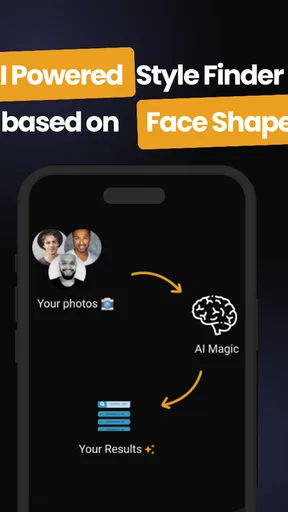
Face-shape guidance can be a helpful prompt, but I would treat it as one consideration among several. Hair texture, density, growth patterns, and how much time I’m willing to spend styling all affect whether a reference is practical. A suggested look is worth saving if I like its general outline; it isn’t a rule that I must follow just because an app groups it with a particular face shape.
Turn browsing into a barber conversation
A realistic use case is looking for a cut before an appointment, perhaps while I’m on the bus or waiting for a few minutes at home. I can narrow my thinking to a small set of different references: one that is close to my current haircut, one that is a modest change, and one that is more adventurous. That gives me a useful range to discuss without asking a barber to reproduce a single image exactly.
When showing a reference, I’d explain what I like about it: the length on top, the softer or sharper outline, or the contrast between the sides and crown. I’d also say what I don’t want. This matters because a photo can hide details such as how the cut looks from the back or how it sits when the hair is not freshly styled. The app can help me arrive with visual examples, but the conversation is what turns those examples into a cut suited to my hair.
The app is most useful for someone who has trouble naming styles or wants a visual nudge before changing their look. It is less suited to someone who already knows the exact cut they want and mainly needs technical barber terminology, or to someone expecting a precise preview of how a particular style will look on their own head. In those cases, a direct consultation with a barber—or a photo gallery focused on real cuts from multiple angles—may be a better first step.
Getting Started with the App
First things first, downloading Men’s Hair Cuts & Hairstyles was a breeze. The app is available on both Android and iOS, and it’s super lightweight, so it won’t hog your phone's storage. Once installed, the interface is clean and simple, which is perfect if you’re not a tech wizard. I was welcomed with a friendly tutorial, which was a nice touch for those who might be new to using such apps.
Worth Reading Before You Choose

EA SPORTS FC Mobile 26 Is a Bigger Football Game, but It Takes Time

Flipboard Shows What News Apps Must Do Beyond the Feed

Switching to Android Auto Means Rethinking Your Driving Routine

Google Calendar Makes a Crowded Week Easier to Manage

Ludo King Makes the Most of the Minutes Between Plans

Baby Panda World Brings Quick Play to Modern Phones, but Its Game Library Feels Busy
It’s a free beauty app from İlhan LLC, with an average rating of 3.9 from around 4,100 ratings and more than 100,000 installs. It is rated for Everyone, and the current version is 6.2.1. Those details make it easy to understand what kind of app I’m considering, but they don’t tell me whether a particular cut will suit me; that still takes a little judgment and, ideally, a barber’s input. The app is free to start, while in-app purchases range from $3.99 to $279.99 per item, so I’d check what an optional purchase actually includes before paying.
Exploring the Features
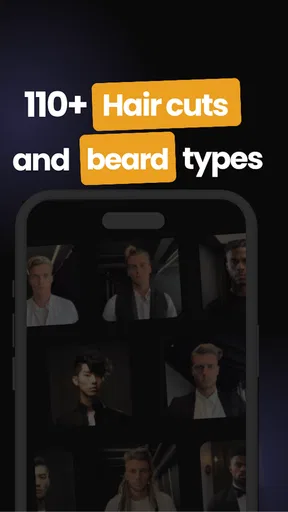
Now, onto the fun part—the features. The app offers a massive gallery of hairstyles. Whether you’re into classic cuts or looking to experiment with something edgy, there's a style for everyone. I particularly loved the filtering options. You can sort by hair length, type, and even by the latest trends. This really helps narrow down choices, especially when you're as indecisive as I am!
To make browsing more deliberate, I’d change one decision at a time. First, I’d focus on length, then compare the overall shape of the cut, and only after that consider whether a trendier option feels right. If I switch between several kinds of styles at once, it becomes difficult to tell what I actually like. A quick mental note—such as “keep the top longer, but make the sides cleaner”—is more useful than treating every image as a completely separate choice.
Compared with searching the web or scrolling through social media, a dedicated hairstyle app has the advantage of keeping the task focused on men’s cuts rather than mixing in unrelated posts. General image searches can offer more variety and real-life examples, but they may take longer to sort through and often show a style without enough context. A barber’s own portfolio can be more relevant to the way that person cuts hair, while this app is better for exploring possibilities before I know exactly what to request. I’d use the app to generate ideas, then use a few clear references—not a huge collection—to guide the conversation.
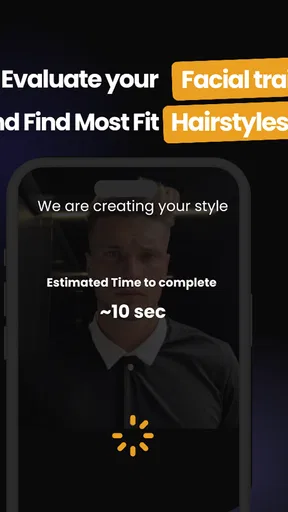
One standout feature is the virtual try-on. Honestly, I was skeptical at first, but it turned out to be surprisingly accurate. You just snap a selfie and the app magically superimposes different hairstyles onto your head. It’s a bit like having a personal stylist right in your pocket. I probably spent a good hour just trying on different looks!
I’d use a try-on as a comparison tool rather than a final verdict. A selfie gives me a quick sense of how a change in outline or volume might affect my appearance, but the result depends on the photo and how well the overlay sits. For a fair comparison, I’d start with a clear, front-facing picture in decent light and look at a few styles under the same conditions. Then I’d ask whether the idea still appeals when I stop focusing on the novelty of seeing a new look on screen.
Personalizing Your Style
The app also lets you save your favorite styles in a personalized lookbook. I found this feature super handy because it means I can take my phone to the barber and show them exactly what I’m aiming for. No more awkward “I want something like this” conversations with vague hand gestures.
A small habit makes that lookbook more useful: I’d keep only references that represent distinct choices, rather than saving every attractive image. For example, a few pictures can show the length I want to keep, how close I’m comfortable going on the sides, and the general finish I prefer. If I save many near-identical examples, the collection becomes harder to explain and may leave the barber guessing which detail matters most. I’d also be ready to say that a picture is inspiration, not a request to copy every detail.
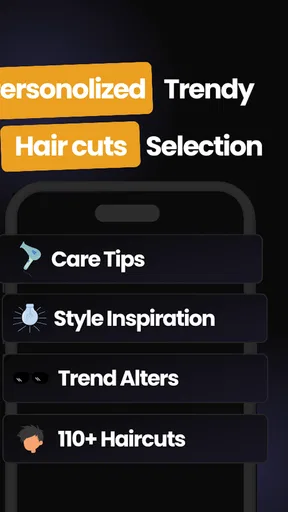
Another cool addition is the tips section. It’s packed with advice on maintaining different hairstyles and even offers product recommendations. So, if you’re clueless about which pomade or gel to use, the app has got you covered.
I’d treat product recommendations as a place to learn what kind of styling approach a look might involve, not as a reason to buy something immediately. Before choosing a product, it helps to know whether I want hold, texture, shine, or a more natural finish; those preferences are easier to discuss with a barber or compare against what I already use. The practical trade-off is that hairstyle inspiration is only part of the work. A cut that depends on daily styling may be a poor match for someone who wants to wash, dry, and leave without spending time on it.
Settings and habits worth checking
Rather than assume that every option is essential, I’d take a moment to see which controls and guidance are available in the version I’m using and focus on the ones that support my goal. If I only need haircut references, there is no reason to spend time on unrelated browsing. If I’m considering a more involved style, I’d look at the associated care guidance before settling on it. This keeps the app useful without letting the number of choices turn a quick decision into an evening-long project.
The app is designed for Everyone, but that rating doesn’t make every suggestion equally appropriate for every person. A teenager looking for a first change may want a low-risk reference to discuss with a parent or barber, while someone who regularly changes cuts may be more comfortable experimenting. Either way, I’d think about maintenance and work or school expectations alongside appearance. A style can look appealing in a photo and still be inconvenient for the routine I actually have.
One limitation of any hairstyle gallery is that a picture captures a particular person, styling, and angle. It can’t tell me how a cut will behave with my cowlick, curl pattern, or preferred length between appointments. I’d be cautious about interpreting face-shape suggestions as personalized professional advice, and I would not choose a major change based only on a digital overlay. If I need technical guidance about how much to take off or how to adapt a style to my hair, a barber is the better source.
A Few Things to Consider
While I loved most of my experience, there were a couple of hiccups. The app occasionally crashed on my older device, which was a bit frustrating. However, it ran smoothly on a more up-to-date phone. Also, some advanced features, like detailed grooming tips, are locked behind a premium subscription. It’s not a dealbreaker, but something to keep in mind if you’re on a tight budget.
Because it can be used on Android and iOS, the app is accessible across those mobile platforms, but my expectations would still depend on the phone I’m using. If it feels unstable, I wouldn’t make the app the only place I keep an important reference before an appointment. I’d make sure I can bring up the image I want to show, and I’d avoid relying on a long session of try-ons at the last minute. That is a simple precaution, not a reason to dismiss the app if browsing works well on my device.
The optional purchases deserve a little care, especially for someone who only wants a couple of haircut ideas. Since the app is free to download but offers in-app items across a wide price range, I’d first decide whether the free experience already answers my question. If I’m tempted by a paid item, I’d consider whether it adds something I will genuinely use rather than buying because I’m still undecided. When I want detailed, personalized advice, spending time with a barber may provide more practical value than adding more digital inspiration.
Another trade-off is that inspiration can raise expectations. A polished example may show a cut at its best, with careful styling and ideal lighting. Before asking for it, I’d check whether I’m prepared to recreate that finish on an ordinary morning. If not, I’d show the image and ask for a lower-maintenance version. That small adjustment can make the difference between choosing a look I admire and choosing one I can comfortably live with.
Final Thoughts
In conclusion, Men’s Hair Cuts & Hairstyles is a must-have for anyone looking to switch up their look. It’s user-friendly, packed with features, and genuinely helpful in making the daunting task of choosing a new hairstyle a whole lot easier. So, if you're ready to revamp your style, give this app a shot. Who knows? You might just find your perfect cut with a simple swipe.
My recommendation is strongest for people who want to explore a few directions before their next barber visit, especially if they find it hard to describe a haircut without pictures. It can also help someone who is growing out a cut decide what kind of shape to aim for next. I’d skip it if I need a guaranteed, exact preview, detailed technical consultation, or a highly curated set of real-world results from one particular barber; those needs call for a professional conversation or a more specialized reference source.
Used with a little restraint, the app’s strongest workflow is straightforward: browse with a clear question in mind, use the available filters to reduce the field, compare a few possible shapes, and keep a small number of references to discuss. That approach makes the gallery and try-on more useful than endless scrolling. I like it as a practical source of ideas, as long as I remember that the final decision should account for my actual hair, daily routine, and the person doing the cut.
Pros
- Wide variety of hairstyle options available.
- User-friendly interface for easy navigation.
- Regular updates with new style trends.
- Tutorials for DIY haircuts included.
- Offline access to saved styles.
Cons
- Contains ads that may interrupt usage.
- Limited options for curly hair types.
- Some styles require in-app purchases.
- No virtual try-on feature available.
- Needs internet for initial style load.
FAQs for Men's Hair Cuts & Hairstyles
What features does the Men's Hair Cuts & Hairstyles app offer?
The Men's Hair Cuts & Hairstyles app provides a wide range of features including a comprehensive gallery of hairstyles, detailed maintenance tips, styling tutorials, and the latest trends in men's grooming. Users can also access virtual try-ons to see how different styles might look on them before visiting the barber.
Is the Men's Hair Cuts & Hairstyles app free to use?
The app offers both free and premium features. While the basic gallery and some styling tips are accessible for free, advanced features like the virtual try-on and exclusive hairstyle collections may require a subscription or one-time purchase. This ensures users have access to the best tools for their styling needs.
How often is new content added to the app?
New content is added regularly to keep up with the latest trends in men's hairstyles. The app updates its galleries and tutorials monthly, ensuring users have access to the freshest styles and tips. This regular update schedule helps users stay ahead in the ever-evolving world of men's grooming.
Can I use the app without an internet connection?
Some features of the Men's Hair Cuts & Hairstyles app are available offline, such as saved hairstyle galleries and basic styling tips. However, features like the virtual try-on and access to the latest updates require an internet connection to function properly. This ensures users have the most up-to-date information.
Is the app suitable for all hair types and lengths?
Yes, the app is designed to cater to a wide range of hair types and lengths. It includes styles and tips for curly, straight, wavy, and coiled hair, as well as options for short, medium, and long hair. This diversity makes it a versatile tool for anyone looking to update their hairstyle.


